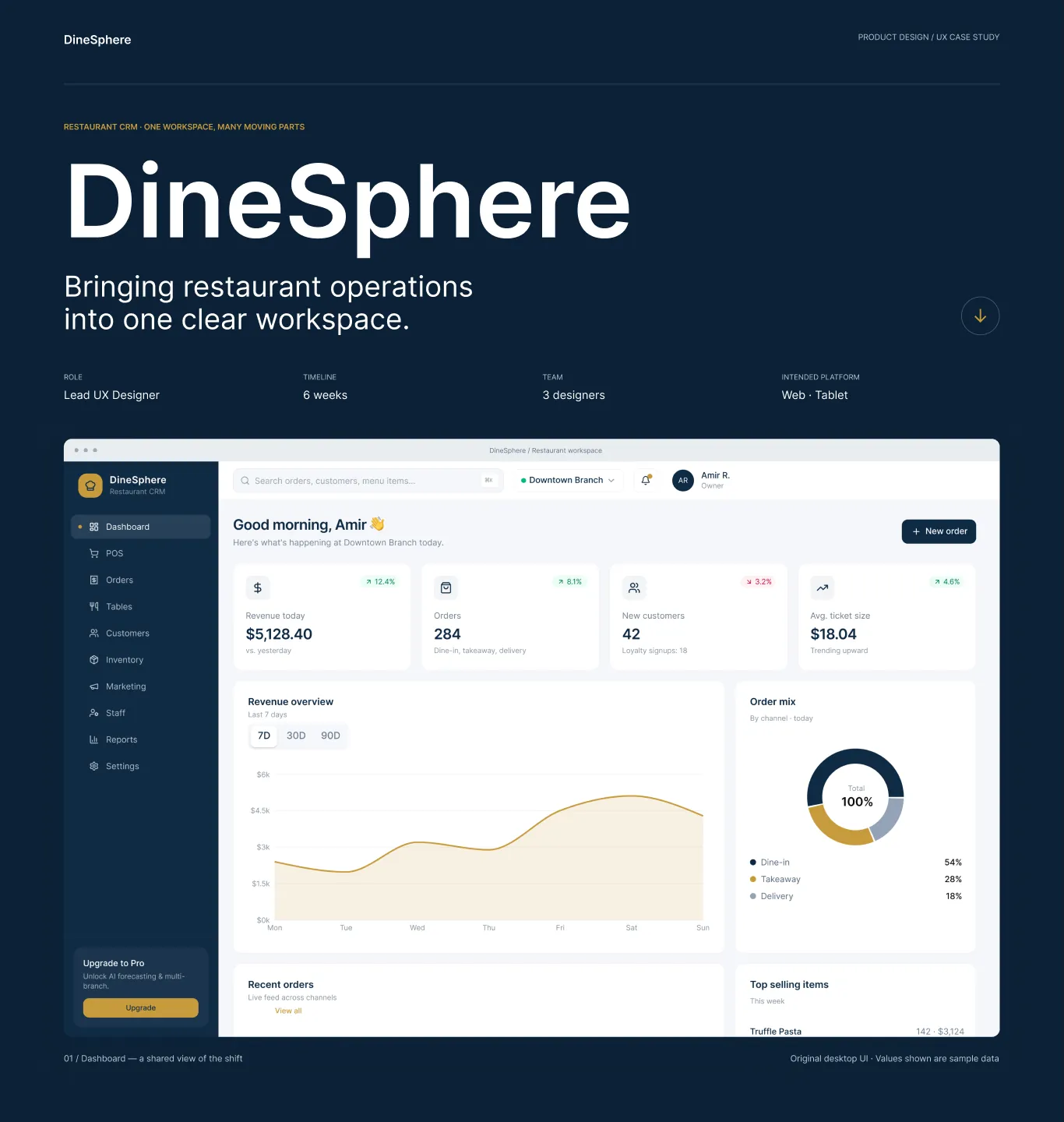
Restaurant CRM · One workspace, many moving parts
DineSphere
Bringing restaurant operations into one clear workspace.
The shift is the context. Clarity is the goal.
DineSphere brings service, stock, customer relationships and administration into a shared restaurant-operations interface. The scope of the shown design covers information architecture, operational dashboards, order building, coordination, customer management and account controls.
| Design hypothesis — friction | Possible impact |
|---|---|
| Fragmented context | Separate task surfaces may make it harder to retain a shared picture of service. |
| Competing urgency | Dense stock records may bury the ingredients that need attention first. |
| Order uncertainty | Switching away from a cart may weaken confidence in what has been added. |
| Ambiguous state | Color alone may make table or order status harder to interpret. |
Research and performance claims in the supplied draft have no supporting materials and are not treated here as validated findings. This story is grounded in the supplied desktop screens; the role contexts are inferred, not researched personas.
One stable shell. Different operational tempos.
The challenge is to support quick service decisions without flattening slower analytical and administrative work into the same layout. The navigation keeps a consistent route back to core tasks, with a second level for account controls.
Observed navigation — all ten destinations
Read the branch picture
The shift starts with the whole restaurant in one view.
Check state and seat count
Physical context before service decisions.
Keep menu and cart together
Selection and review never leave each other's sight.
Read channel, status and time
Progress stays legible across dine-in, takeaway and delivery.
Inventory runs alongside the journey — inspect low, out-of-stock and expiring stock, then consider restock actions. The journey above is illustrative and conceptual, not a validated or prototyped flow.
Read the whole. Then find the next detail.
A branch-level overview layers four headline KPIs above revenue and channel context, with recent orders and top sellers continuing below.
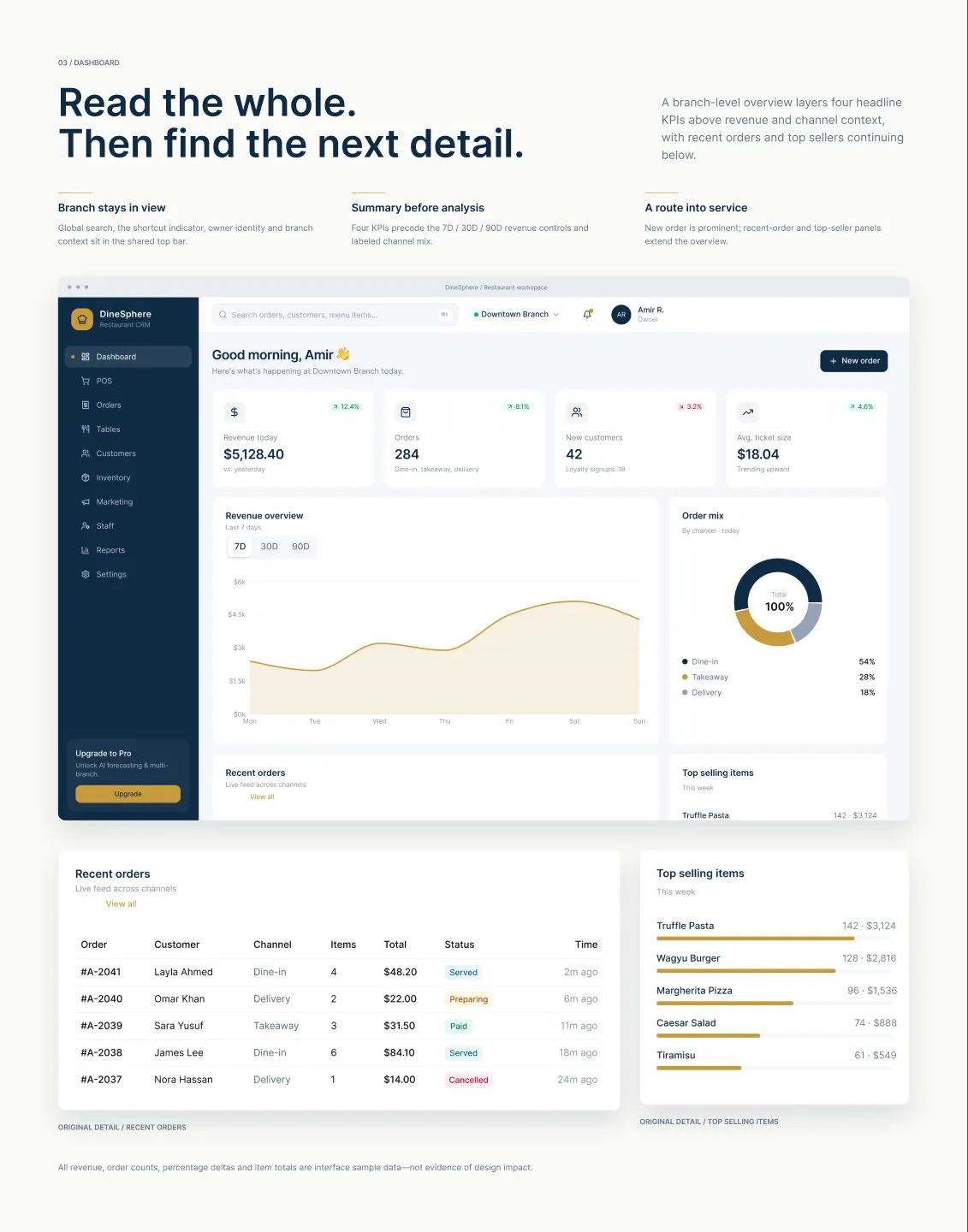
Branch stays in view
Global search, the shortcut indicator, owner identity and branch context sit in the shared top bar.
Summary before analysis
Four KPIs precede the 7D / 30D / 90D revenue controls and the labeled channel mix.
A route into service
New order is prominent; recent-order and top-seller panels extend the overview.
Build the order. Keep the review in sight.
The searchable menu and category filters share the screen with a persistent cart. Selection and review remain spatially connected.
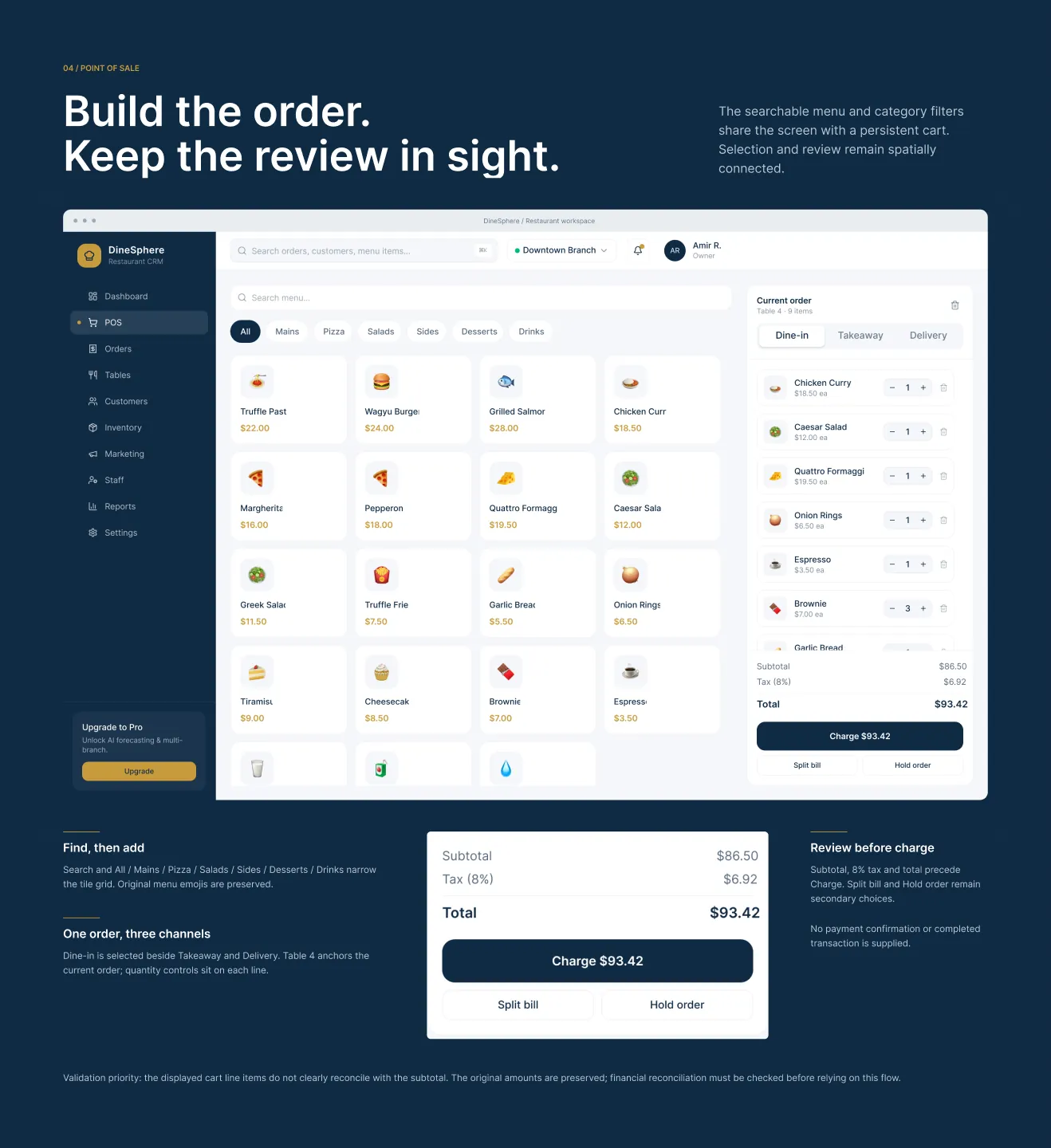
Find, then add
Search and the All / Mains / Pizza / Salads / Sides / Desserts / Drinks filters narrow the tile grid.
One order, three channels
Dine-in is selected beside Takeaway and Delivery; the table anchors the current order and quantity controls sit on each line.
Review before charge
Subtotal, tax and total precede Charge; Split bill and Hold order remain secondary choices.
A shared language for the floor and the queue.
Tables describes physical context. Orders describes service progress. Their state labels make two different operational views legible.
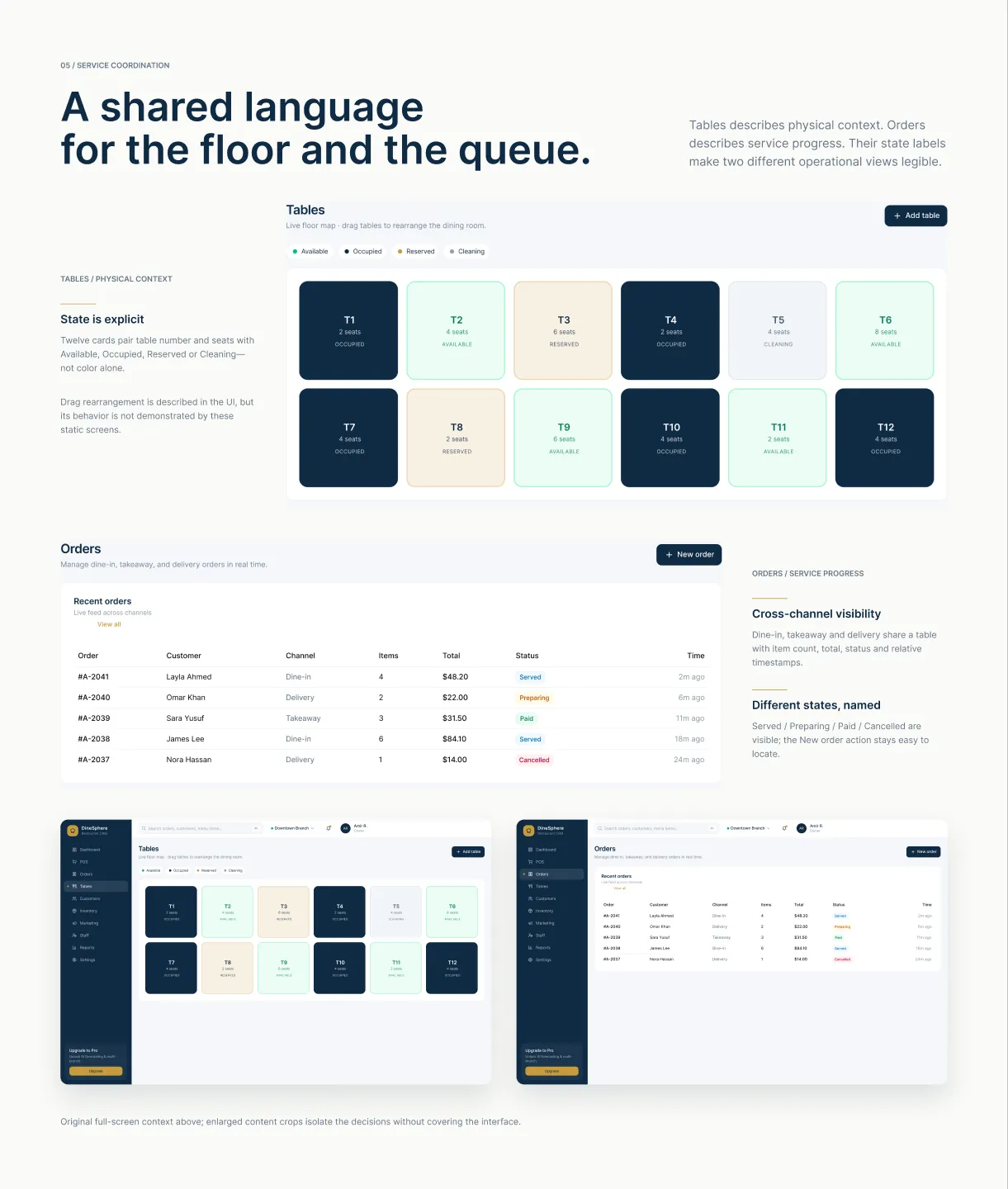
State is explicit
Twelve table cards pair number and seats with Available, Occupied, Reserved or Cleaning — not color alone.
Cross-channel visibility
Dine-in, takeaway and delivery share one table with item count, total, status and relative timestamps.
Different states, named
Served / Preparing / Paid / Cancelled are visible as words, and the New order action stays easy to locate.
Put risk ahead of the record.
A summary of low, out-of-stock and expiring ingredients precedes the dense stock table. The page gives exceptions a distinct place to be read.
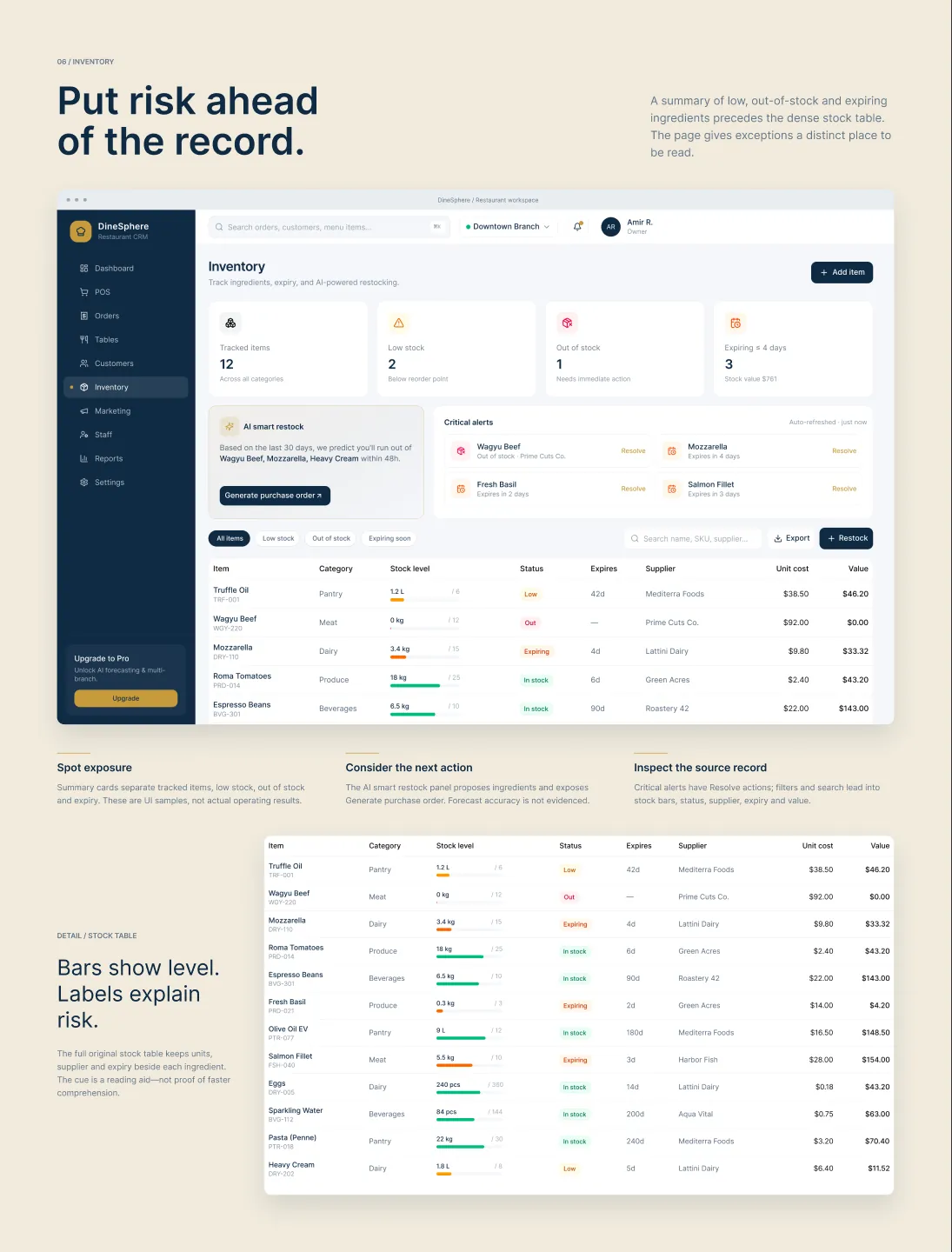
Spot exposure
Summary cards separate tracked items, low stock, out of stock and expiry — UI samples, not operating results.
Consider the next action
The smart restock panel proposes ingredients and exposes Generate purchase order; forecast accuracy is not evidenced.
Inspect the source record
Critical alerts carry Resolve actions; filters and search lead into stock bars, status, supplier, expiry and value.
A system already inside the screens.
A sampled study of the supplied UI — not a new design system or a claim about production tokens. Restraint in the shell leaves room for operational states.
Navy carries the shell and primary actions; gold marks brand, chart and upgrade accents; white cards on a cool canvas organize dense content. Typography is Inter — Regular 400, Medium 500, Semibold 600 — with recurring 4 / 12 / 16 / 24px gaps and insets across the screens.
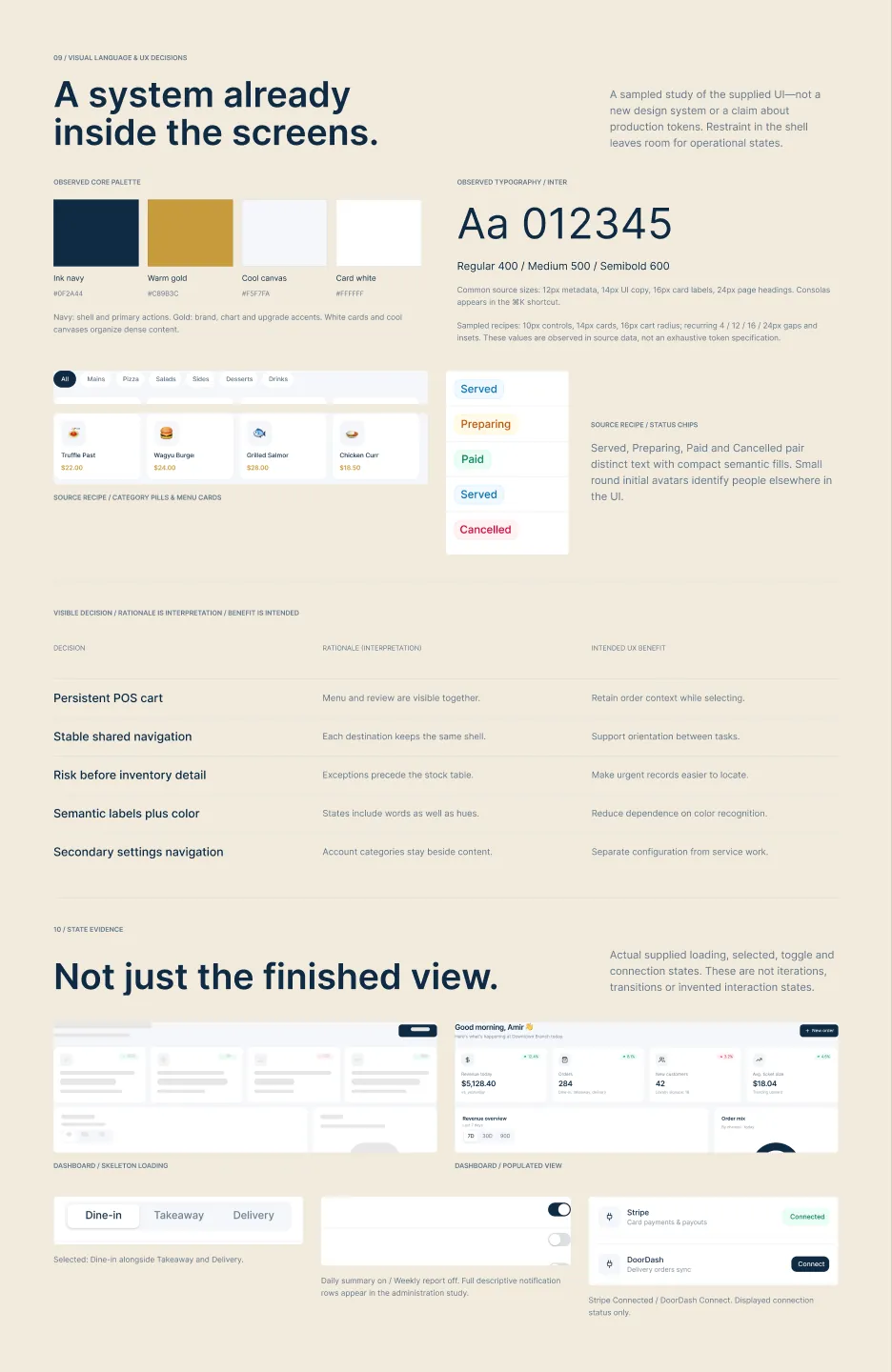
| Visible decision | Rationale (interpretation) | Intended UX benefit |
|---|---|---|
| Persistent POS cart | Menu and review are visible together. | Retain order context while selecting. |
| Stable shared navigation | Each destination keeps the same shell. | Support orientation between tasks. |
| Risk before inventory detail | Exceptions precede the stock table. | Make urgent records easier to locate. |
| Semantic labels plus color | States include words as well as hues. | Reduce dependence on color recognition. |
| Secondary settings navigation | Account categories stay beside content. | Separate configuration from service work. |
Clear intent. Honest boundaries.
Visible structure can explain design intent. It cannot establish usability, accessibility compliance, responsive behavior or measured business impact — and this study claims none of those.
“Less context to reconstruct. More context ready to read.”
The shown screens share navigation, typography, rounded surfaces and named states. No task-speed, revenue, retention, satisfaction or stock-loss outcomes are claimed.Keep the review beside the action
Persistent context matters most when selecting and verifying are closely coupled.
Prioritize the exception
A risk summary should introduce detail, not compete with it.
Name the state
Text and color together make the meaning easier to inspect.
Design for trust, then validate
A coherent presentation is not enough: totals, defaults and behavior must hold up.
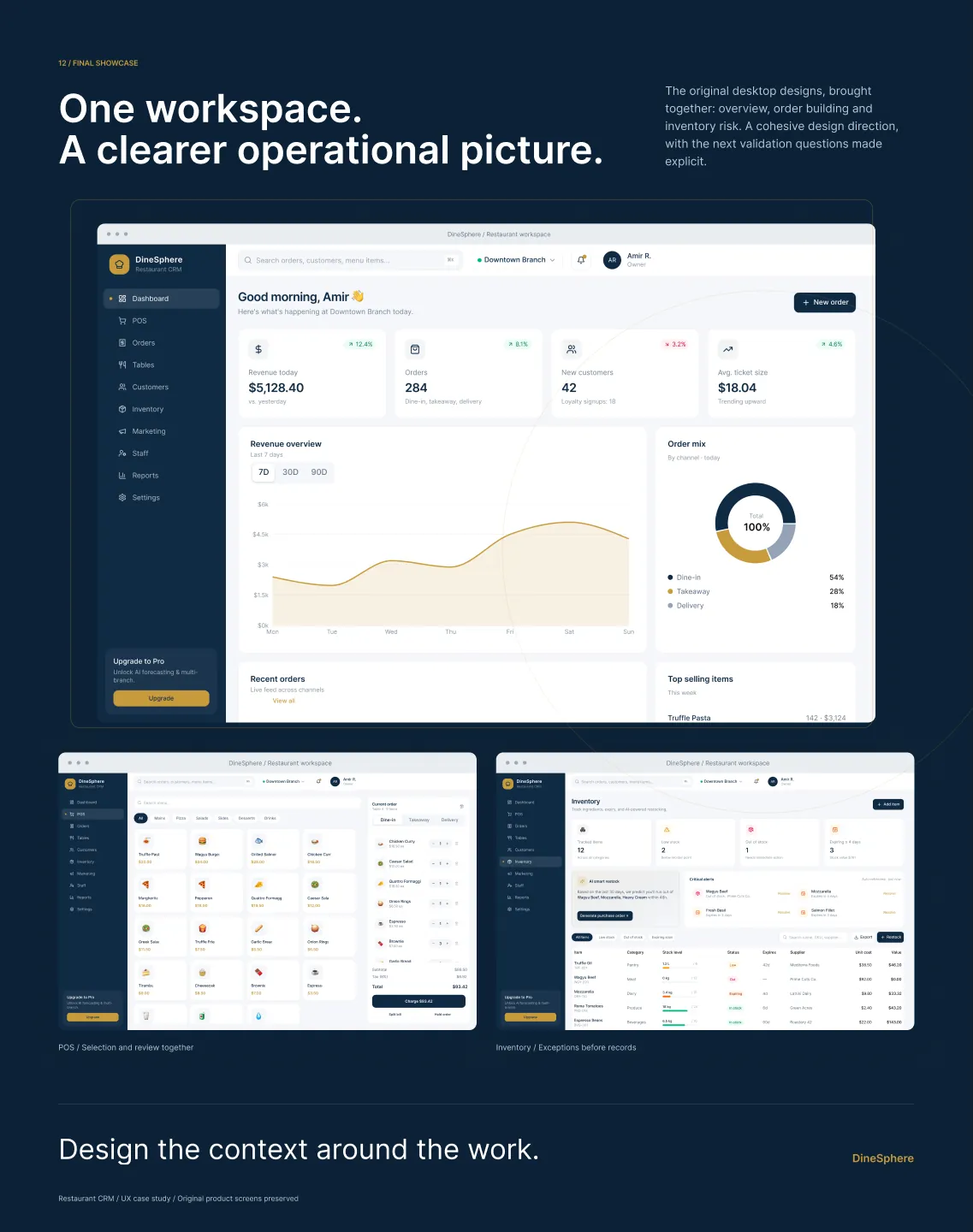
Web · Tablet is intended-platform metadata from the draft; the available evidence is desktop only. Touch targets, tablet and mobile adaptations remain to be designed and measured.
That is the DineSphere story — one workspace, drawn end to end.
Figma link available on request.